- C++ 82.7%
- Lua 12.5%
- GLSL 1.9%
- C 1.5%
- CMake 1.4%
|
|
||
|---|---|---|
| .github | ||
| appimage | ||
| Audio | ||
| Beatmap | ||
| bin | ||
| cmake | ||
| docs | ||
| Graphics | ||
| GUI | ||
| Main | ||
| Shared | ||
| Tests | ||
| Tests.Game | ||
| Tests.Shared | ||
| third_party | ||
| updater | ||
| .gitattributes | ||
| .gitignore | ||
| .gitmodules | ||
| build.linux | ||
| CMakeLists.txt | ||
| GenerateWin64ProjectFiles.bat | ||
| LICENSE.md | ||
| README.md | ||
| vcpkg.json | ||

Unnamed SDVX clone 

A game based on KShootMania and SDVX.
Project status
This repository is practically in maintenance mode as I would much rather spend my time on the rewrite to Rust that can be found here.
Download latest Windows build
FAQ
Skinning Documentation
Demo Videos:
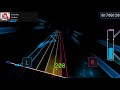
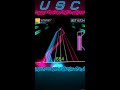
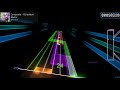
Current features:
- Completely skinnable GUI
- OGG/MP3 Audio streaming (with preloading for gameplay performance)
- Uses KShoot charts (
*.ksh) (1.6 supported) - Functional gameplay and scoring
- Saving of local scores
- Autoplay
- Basic controller support
- Changeable settings and key mapping
- Supports new sound FX method (real-time sound FX) and old sound FX method (separate NOFX & sound effected music files)
- Song database cache for near-instant game startup (sqlite3)
- Song database searching
- Linux/Windows/macOS support
- Song select UI/Controls to change HiSpeed and other game settings
Features currently in progress:
- Lighting peripheral support
- More gauge types
If something breaks in the song database, delete "maps.db". Please note this will also wipe saved scores.
Controls
Default bindings (Customizable):
- Start: [1]
- BTN (White notes , A/B/C/D): [D] [F] [J] [K]
- FX (Yellow notes, L/R): [C] [M]
- VOL-L (Cyan laser, Move left / right): [W] [E]
- VOL-R (Magenta laser): [O] [P]
Song Select:
- Use the arrow keys or knobs to select a song and difficulty
- Use [Page Down]/[Page Up] to scroll faster
- [F2] to select a random song
- [F8] demo mode (continuously autoplay random songs)
- [F9] to reload the skin
- [F11] to open the the currently selected chart in the editor specified by the
EditorPathsetting - [F12] to open the directory of the currently selected song in your file explorer
- [Enter] or [Start] to start a song
- [Ctrl]+[Start] to start song with autoplay
- [FX-L] to open up filter select to filter the displayed songs
- [Start] when selecting filters to toggle between level and folder filters
- [FX-L] + [FX-R] to open up game settings (Hard gauge, Random, Mirror, etc.)
- [TAB] to open the Search bar on the top to search for songs
- [BT-B + BT-C] Add song to collection (such as favourites)
How to run:
Just run 'usc-game' or 'usc-game_Debug' from within the 'bin' folder.
Command line flags (all are optional):
-notitle- Skips the title menu launching the game directly into song select.-mute- Mutes all audio output-autoplay- Plays chart automatically, no user input required-autobuttonsLike autoplay, but just for the buttons. You only have to control the lasers-autoskip- Skips beginning of song to the first chart note-debug- Used to show relevant debug info in game such as hit timings, and scoring debug info-test- Runs test scene, for development purposes only-gamedir- Sets the directory the game loads assets from. If unset, attempts reading from$XDG_DATA_HOME/unnamed-sdvx-clone. Finally, uses the executable directory if all else fails.
How to build:
Windows:
It is not required to build from source. A download link to a pre-built copy of the game is located at the beginning of this README. The recommended Visual Studio version is 2017, if you want to use a different version then you will need to edit the 'GenerateWin64ProjectFiles.bat' if you want to follow the guide below.
- Clone the project using
gitand then rungit submodule update --init --recursiveto download the required submodules. - Install CMake
- Install vcpkg
- Install the packages listed in 'build.windows'
- Run 'GenerateWin64ProjectFiles.bat' from the root of the project
- If this fails, try using the
-DCMAKE_TOOLCHAIN_FILE=[VCPKG_ROOT]\scripts\buildsystems\vcpkg.cmakeflag that vcpkg should give you on install
- If this fails, try using the
- Build the generated Visual Studio project 'FX.sln'
- Run the executable made in the 'bin' folder
To run from Visual Studio, go to Properties for Main > Debugging > Working Directory and set it to '$(OutDir)' or '..\bin'
Linux:
- Clone the project using
gitand then rungit submodule update --init --recursiveto download the required submodules. - Install CMake
- Check 'build.linux' for libraries to install
- Run
cmake -DCMAKE_BUILD_TYPE=Release .and thenmakefrom the root of the project - Run the executable made in the 'bin' folder
macOS:
- Clone the project using
gitand then rungit submodule update --init --recursiveto download the required submodules. - Install dependencies
- Homebrew:
brew install cmake freetype libvorbis sdl2 libpng jpeg-turbo libarchive libiconv
- Homebrew:
- Run
cmake -DCMAKE_BUILD_TYPE=Release .and thenmakefrom the root of the project. - Run the executable made in the 'bin' folder.
Embedded (Raspberry Pi):
- Clone the project using
gitand then rungit submodule update --init --recursiveto download the required submodules. - Install the libraries listed in 'build.linux'
- For things that are not in the package manager repository or too low of a version you have to download and build yourself
- SDL2 Can be installed using the instructions found here
- Run
cmake -DEMBEDDED=ON -DCMAKE_BUILD_TYPE=Release . - If cmake completes succesfully run
make - Run the executable made in the 'bin' folder